The Project Launch Journey
Welcome, innovators. This guide is your roadmap to launching a project on Kadena with the full support of the Kadpad ecosystem. We have streamlined the process to be as simple and secure as possible, allowing you to focus on what you do best: building.
Follow these steps to get your foot in the Kadena ecosystem door.
Please note: A member of our team will guide you every step of the way.
Step 1: Create Your Token on TokenGo
Your journey begins with our trusted partner, TokenGo.
- Head over to TokenGo and follow their intuitive guide to create and deploy your token. This is the foundational step in bringing your vision to the blockchain.
Step 2: Locate Your Contract Address
Once your token is live on TokenGo, you'll need to find its unique contract address.
- Navigate to your token's page within the TokenGo explorer.
- The contract address will be clearly displayed on the page. You can click the copy icon next to the address to copy it to your clipboard.
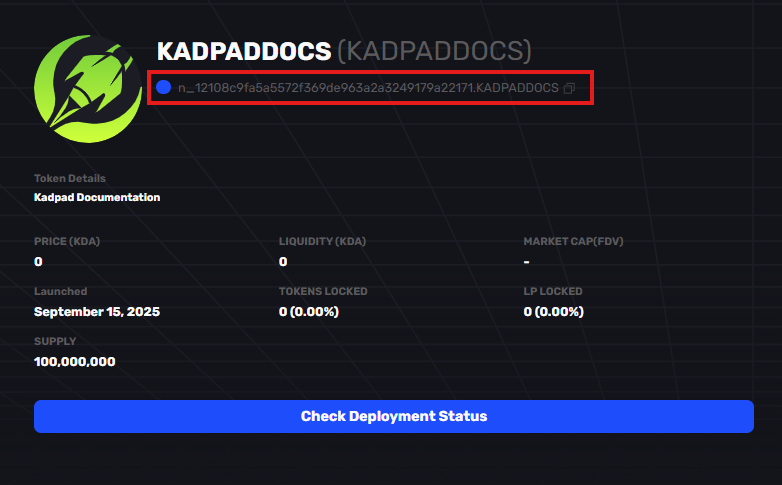
Click the highlighted contract address to copy!
Step 3: Verify Ownership on Kadpad
This crucial security step proves you are the legitimate owner of the project.
- Return to the Kadpad launch page and connect the same wallet you used to deploy the token.
- Paste the contract address into the "Verify Ownership" section and confirm.
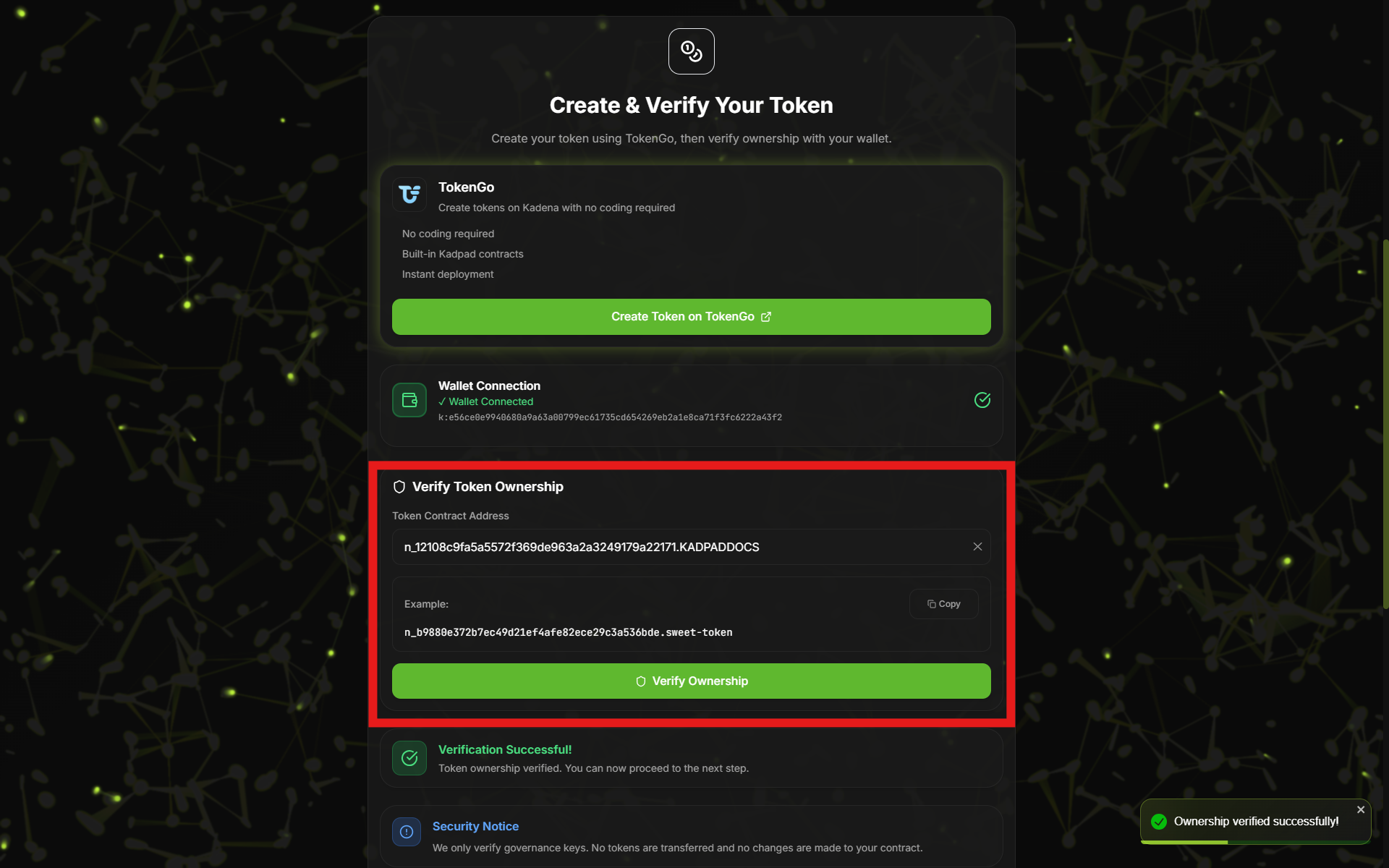
Paste your contract address here and verify with the wallet connected to confirm ownership!
Step 4: Submit Your Project for Review
With ownership verified, you can now formally submit your project to our team.
- Proceed to the next step and fill out the application form with details about your project and team. This information is vital for our "Absolute Zero" trust model.
- Once you submit, our team will be in contact to schedule a review and discuss the next steps.
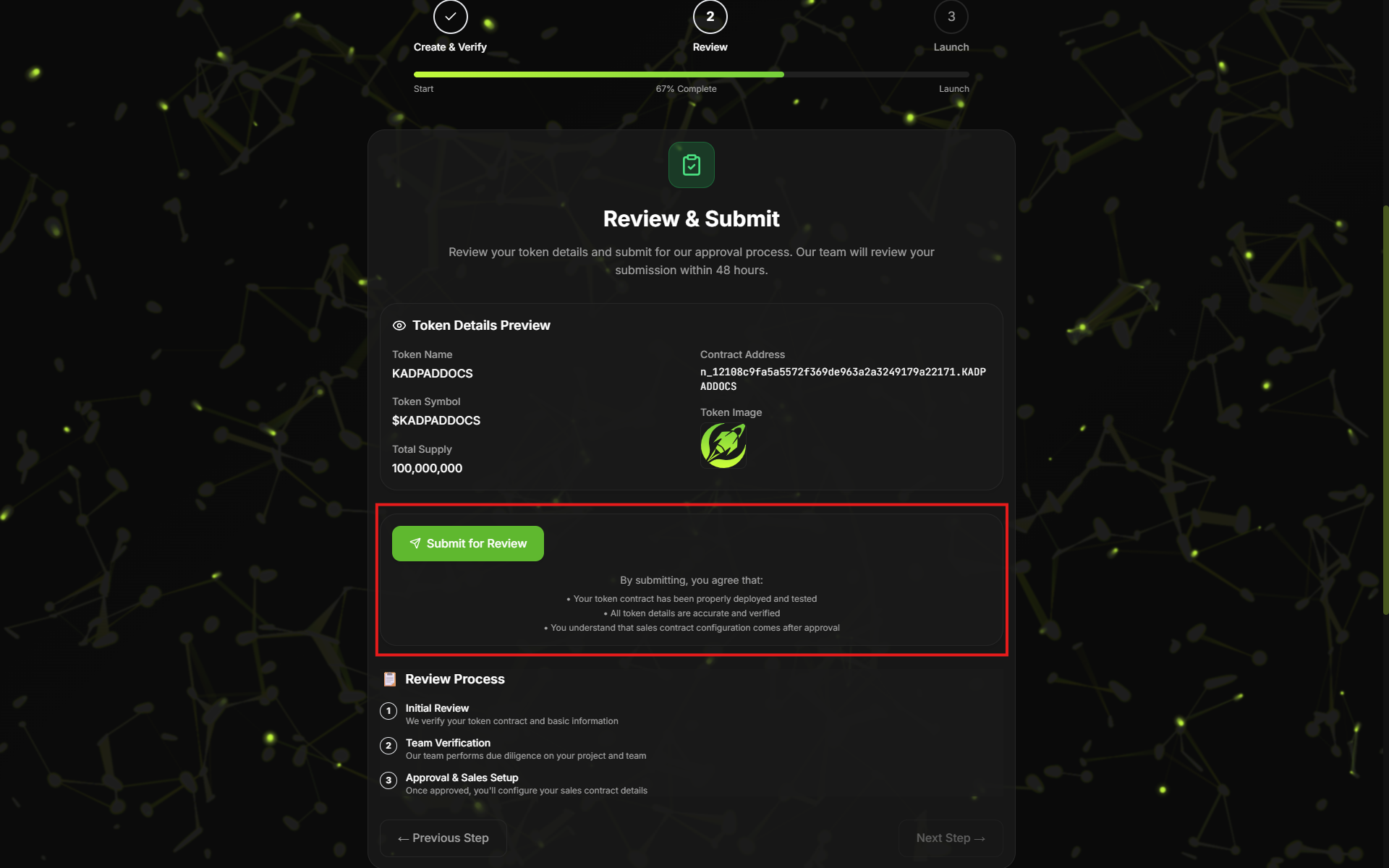
Submit your Website, and contact details here!
Step 5: Choose Your Launch Package
The final step is to select the support level that best fits your project's needs.
- During your consultation, we will help you decide which launch package you wish to take. Please see our project launch packages page for detailed information on the services and support we offer to ensure a powerful and successful launch.
Step 6: Vetting and Audit
This is where our partnership truly begins. Our team will conduct a comprehensive review to ensure your project is set up for success and aligns with our security standards.
- Project Discussion: We'll dive deep into your project's status, roadmap, and marketing plans. We can also assist in sourcing additional resources, such as developers or further market research, to get the best out of your project.
- Tokenomics Review: We will analyze your tokenomics to ensure they are fair, sustainable, and follow our platform's guidelines for investor protection.
- Final Agreement: Upon successful review and KYC verification, we will formalize our partnership with an agreement, set a launch date, and begin planning our co-marketing strategy to build maximum momentum for your launch.
Step 7: Sales and Whitelist Deployment
We handle all the technical complexities of the launch for you.
- Our team will provide you with a pre-configured sales contract and whitelist for simplistic deployment. Kadpad prides itself on creating a seamless customer journey where no coding is needed on your end. This hands-on management prevents potential errors, ensuring your project has a smooth, secure, and professional launch from start to finish. Please note: when deploying the sales contract, your wallet will prompt you twice on the same deployment button to deploy both the sales and treasury contracts.
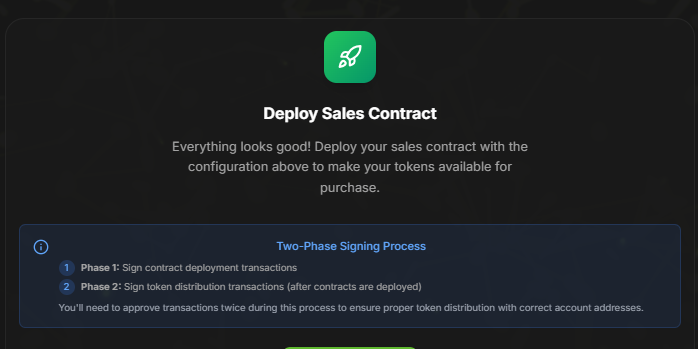
You will be prompted twice on your wallet as advised here
Step 8: Launch
The moment has arrived.
- With a launch date set and your whitelisted and public sales dates and rates confirmed, you are officially ready. Welcome to onboarding your tokenized project on Kadena.
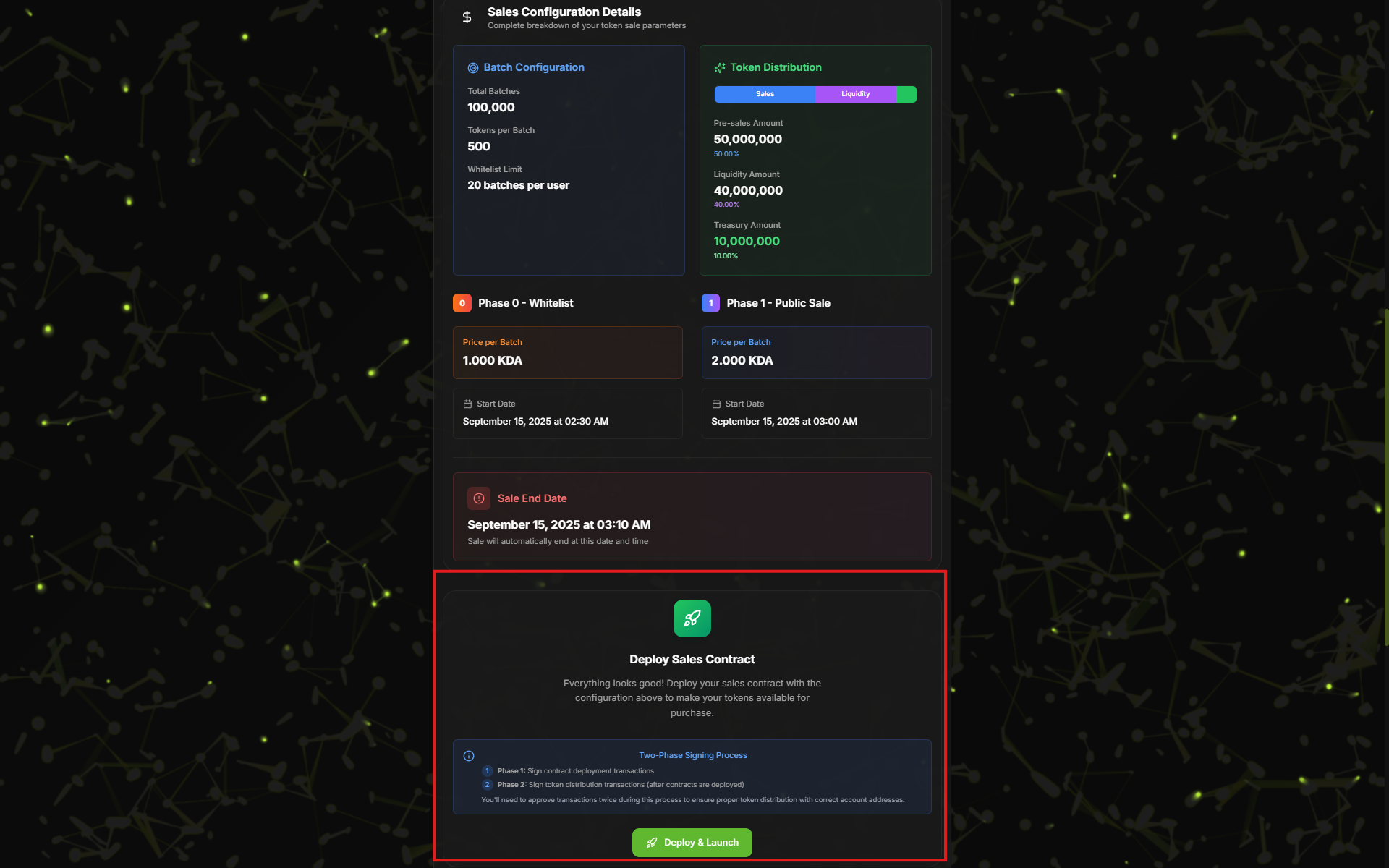
Deploy your sales and treasury at this section of the page!
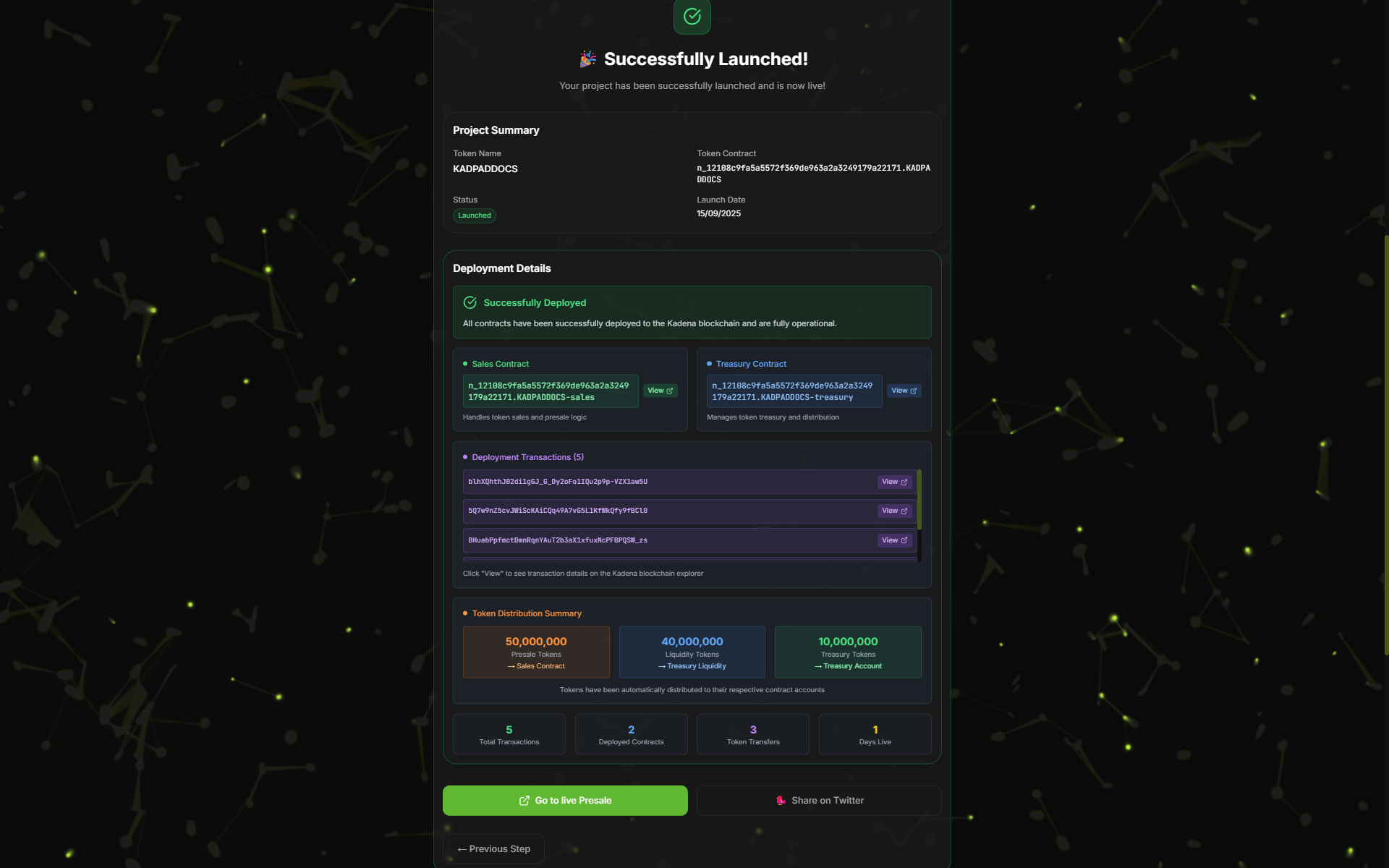
Your successful launch will appear like this!
Step 9: Managing Your Sale
- As the token deployer, you will have access to your deployer panel on the sales page. Here, you can edit the prices for both the private and public sales. Please note: Price configuration is only available before any sale starts. Once the private sale is live, your primary action will be to whitelist wallets for users to get involved. Launching with Kadpad gives you access to all three tiers. Tier 1 (10 wallets staked) will be chosen with a random lottery, Tier 2 (25 wallets staked) will be chosen from a random lottery, and all wallets staked with Tier 3 will be added. With a simple click, they will be automatically whitelisted.
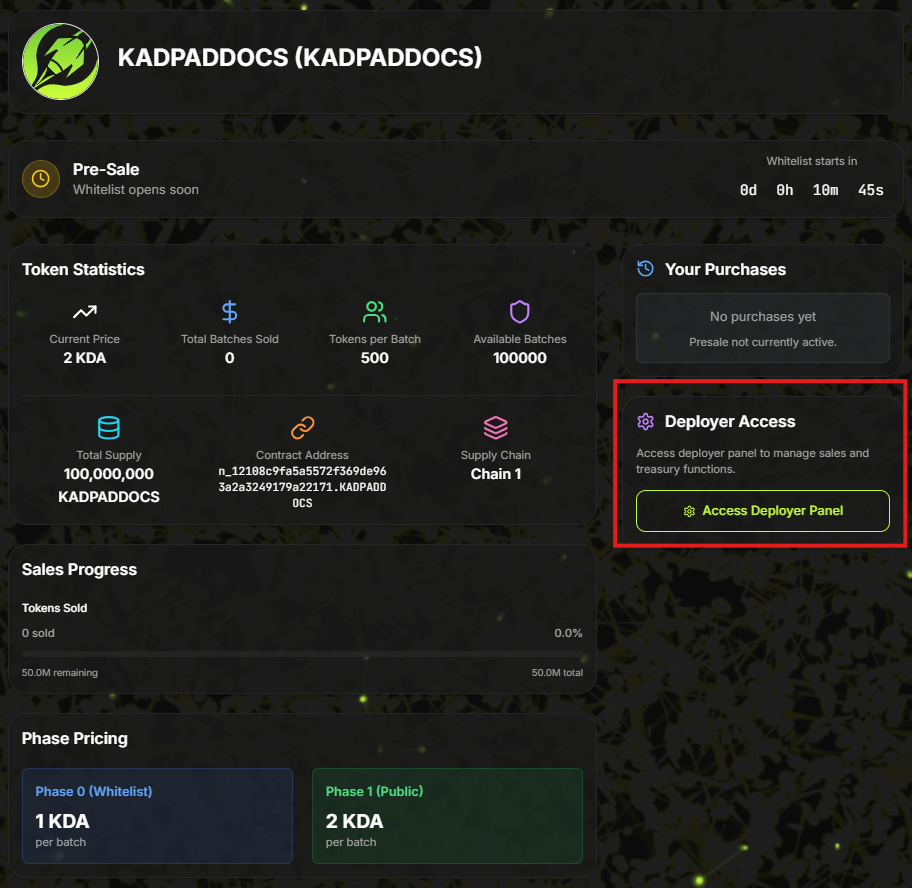
Access your deployer panel here!
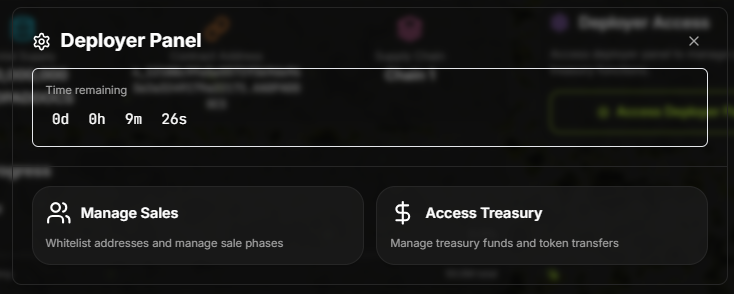
You can access your treasury allocation or manage sales!
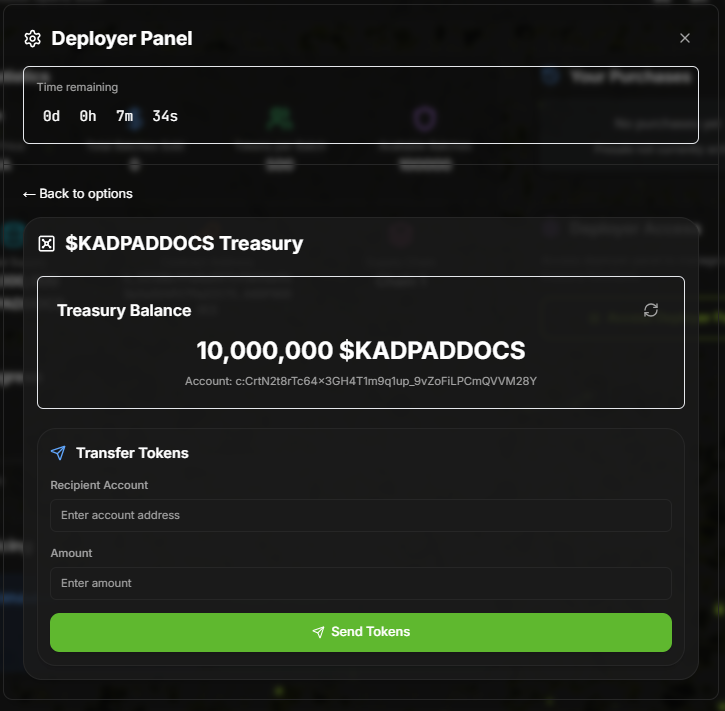
You can take out of your allocated treasury here, you cannot access sales allocation or liquidity allocation!
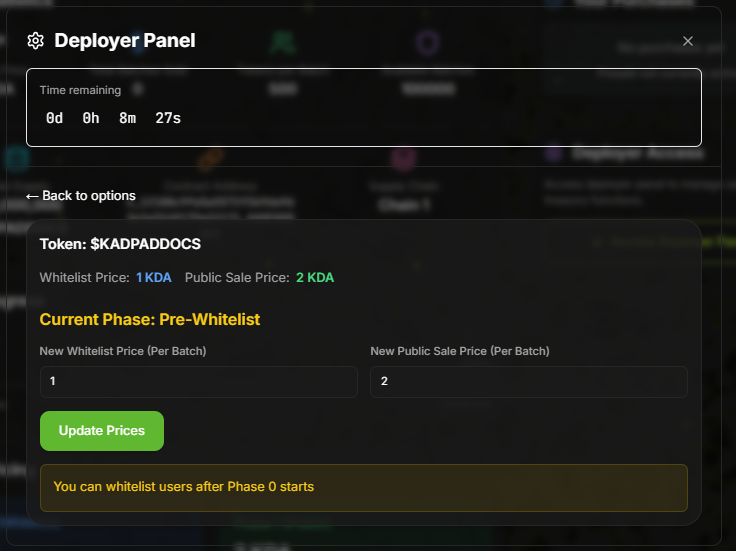
Before private sale you can update the price per batched token on private and public sale, once sale is live you cannot update prices!
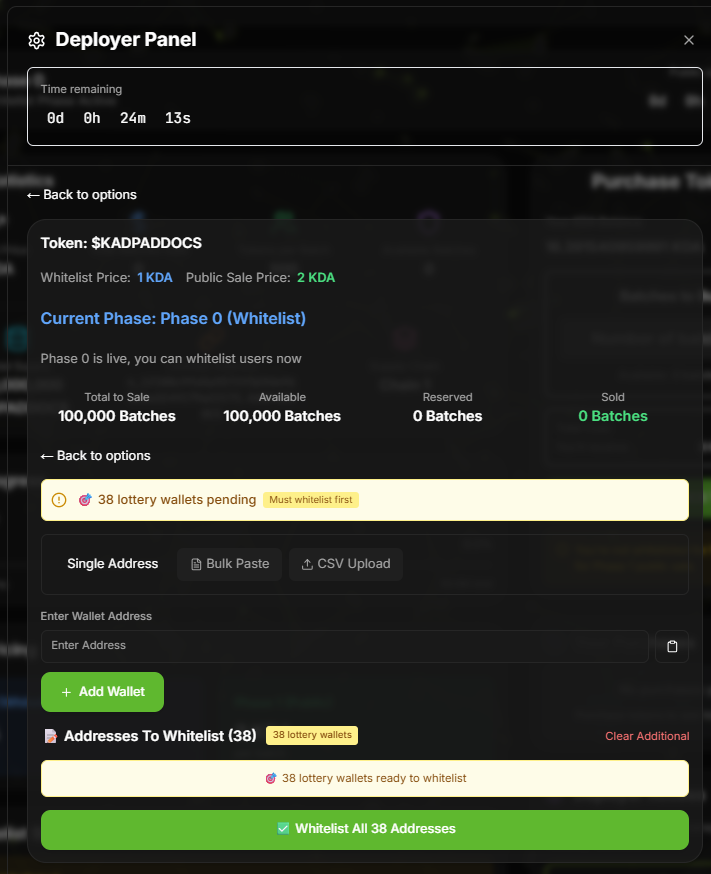
Once Private sale starts you go back to your deployer panel at manage sales and you will now have the option to whitelist. please note before doing anything it is advised to whitelist our staking lottery wallets before whitelisting any other wallet you have accumulated in your community.
Step 10: Sales End Process
- The final step occurs once the sale is finished. You will go to your deployer panel where you will be prompted to end the sale, deploy all tokens, and burn any unsold tokens. You will also lock liquidity tokens with our chosen decentralized exchange (DEX) on the Kadena blockchain, Mercatus.
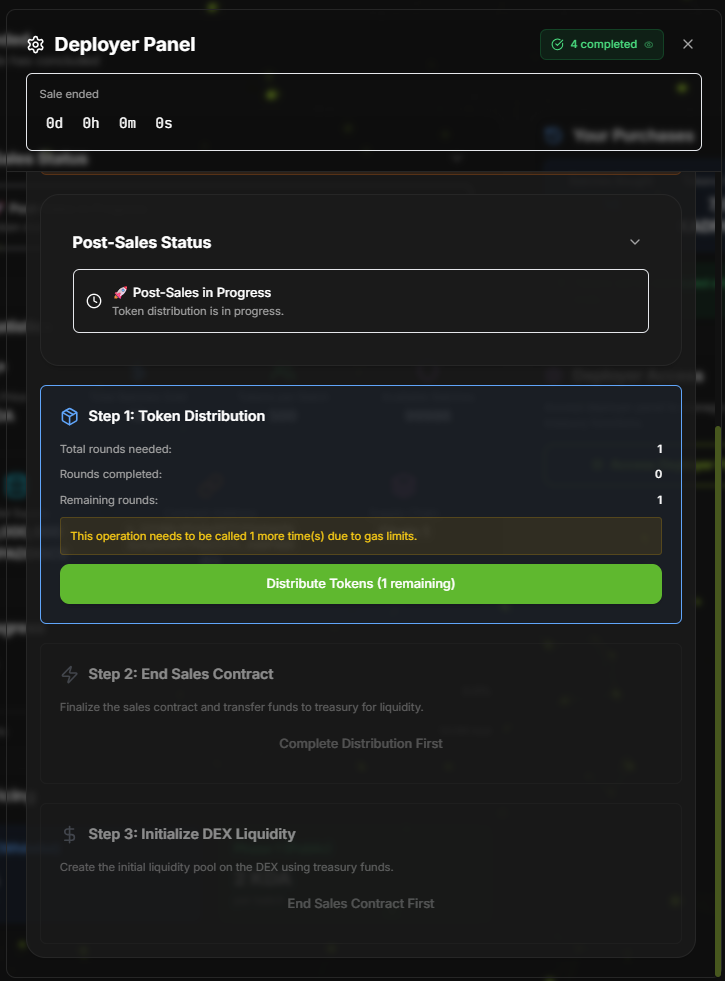
Once the sale has ended, re enter your deployer panel and access manage sales. you will have a 3 stage process you will need to sign with your wallet. Depending how many wallets have taken part in sales you may need to click distribute more than once, to keep the gas fees low there is a limit of 200 wallets. Any unsold tokens will be burned to ensure that the community have not made a financial loss taking part in your sale.
Once tokens have been distributed you will be prompt to end the sales contract and upon finalizing that you will have initialized DEX liquidity. to provide market cap and value to your tokens.
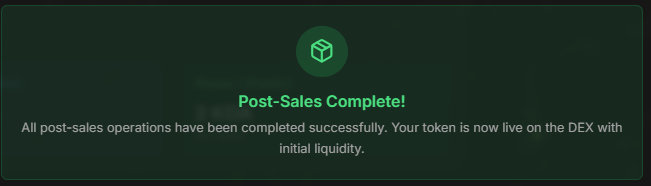
Congratulations you have successfully launched your token with Kadpad and completed your journey.